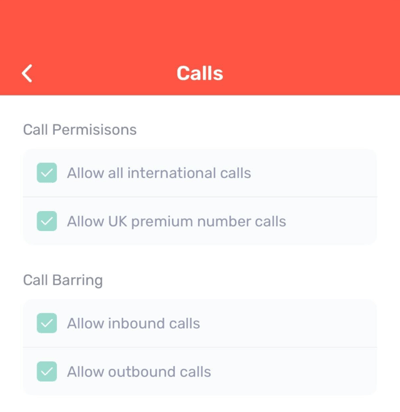
Permissions for outbound and inbound calls on Desktop & Web App
To access your call settings, click on the ‘Settings’ cog and then select ‘Calls’.
In this section, you can check whether you have the correct permissions enabled for making international calls, calling UK premium numbers, and making and receiving calls in general.
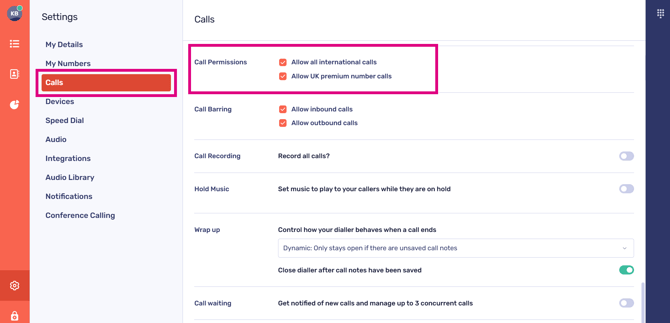
If you need to make any changes to these options, someone with admin permissions in CircleLoop will be able to update your user profile. For standard CircleLoop users, these permissions will appear greyed out, which is expected.

Permissions for outbound and inbound calls on mobile
To access your call settings, tap on the ‘Settings’ cog and then select ‘Calls’.
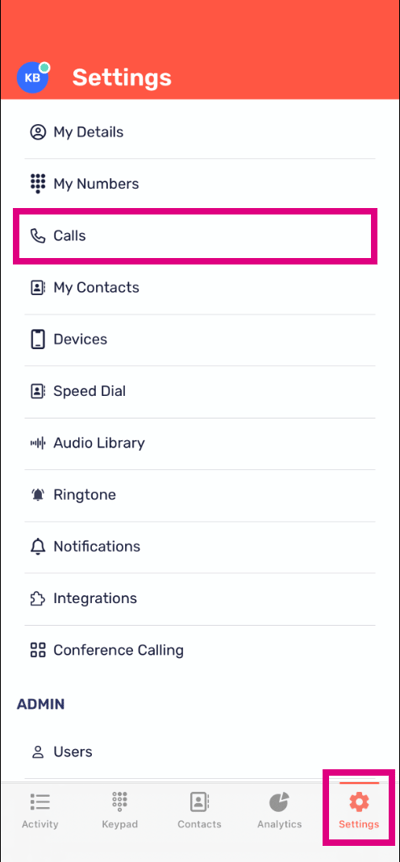
In this section, you can check whether you have the correct permissions enabled for making international calls, calling UK premium numbers, and making and receiving calls in general.

If you need to make any changes to these options, someone with admin permissions in CircleLoop will be able to update your user profile. For standard CircleLoop users, these permissions will appear greyed out, which is expected.