
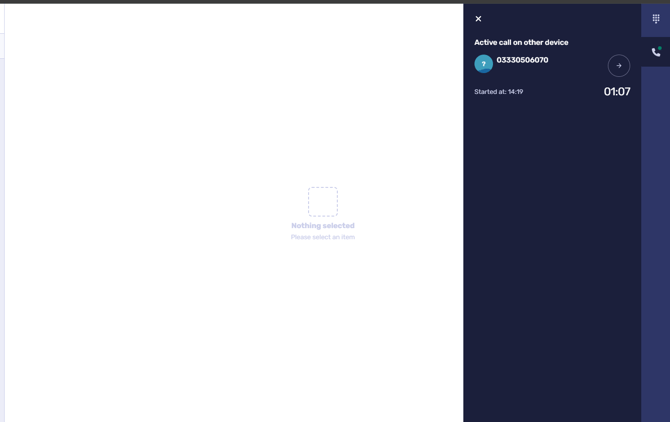
If you wish to transfer a call that you have received on your Desk phone or SIP Device, you will need to perform this using the CircleLoop app. When an active call is taking place on the desk phone, the CircleLoop app will display an in call screen.
1) Click the transfer button.
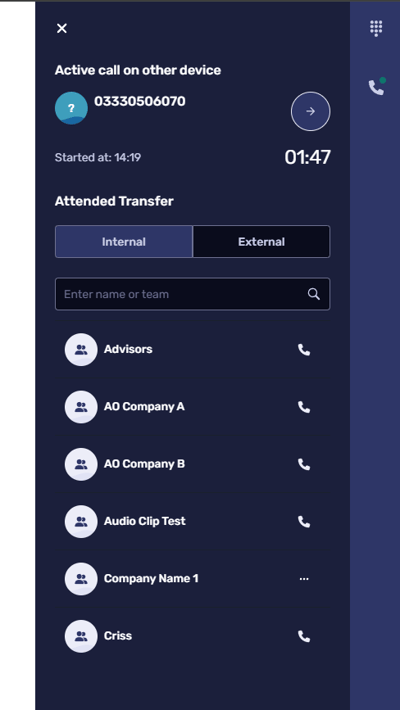
2) Click the User or Team you wish to transfer the call you.
3) When the a user accepts your call, you will be able to speak to them before confirming or cancelling the transfer.
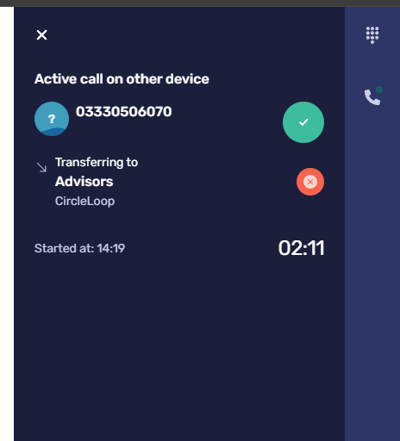
When transferring a call you have two options, you can select the user you wish to transfer to then click Transfer to immediately send the call. This will perform an unattended transfer, where when the person you are transferring too picks up the phone, they will be speaking to the caller.
Alternatively, by selecting the user to transfer to and waiting for the user to pick up, you can perform an attended transfer where you speak to the transfer recipient before clicking Transfer to connect the caller.